
Change Audio Speed
Load a song, lecture, podcast or voice memo and change its speed from half speed to double. Keep the pitch natural for practice and listening, or let the pitch rise and fall with the speed for effects. Preview in real time, then export a WAV file. Your audio never leaves your device.
- Free to use
- No sign-up
- Runs in your browser
Audio speed changer
Music Practice & Transcription Kit
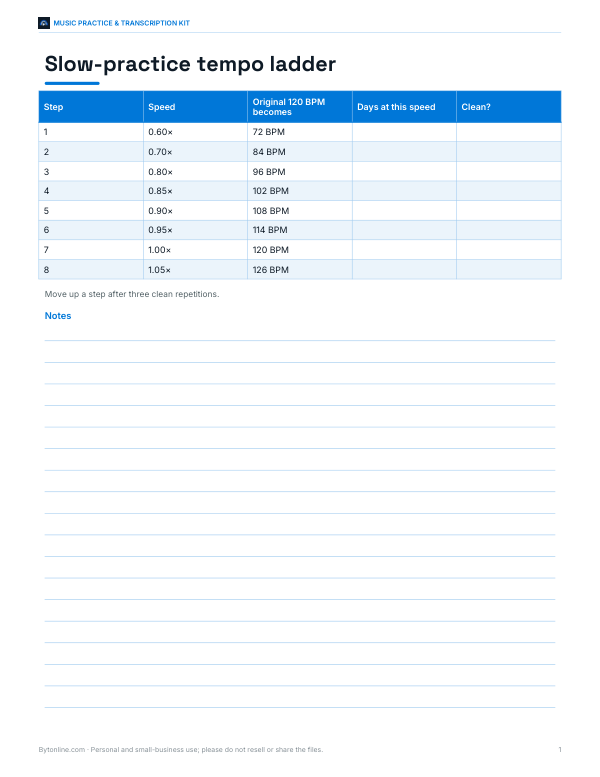
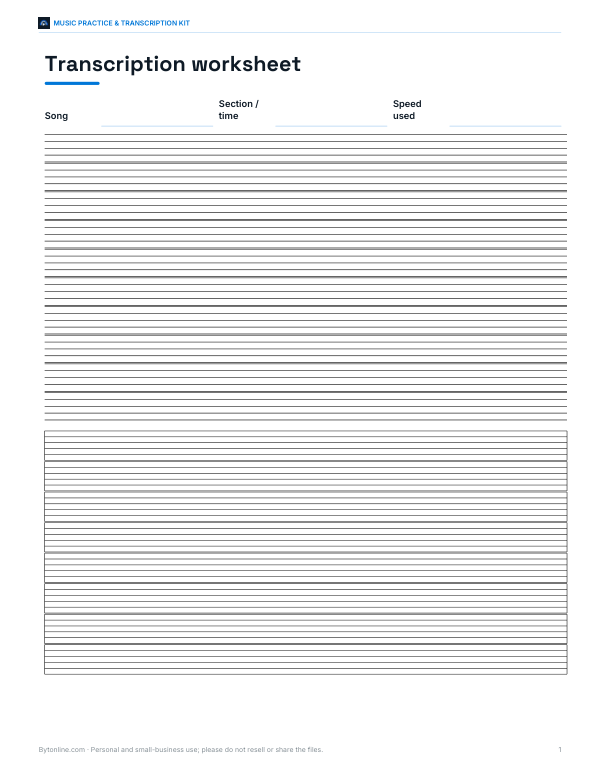
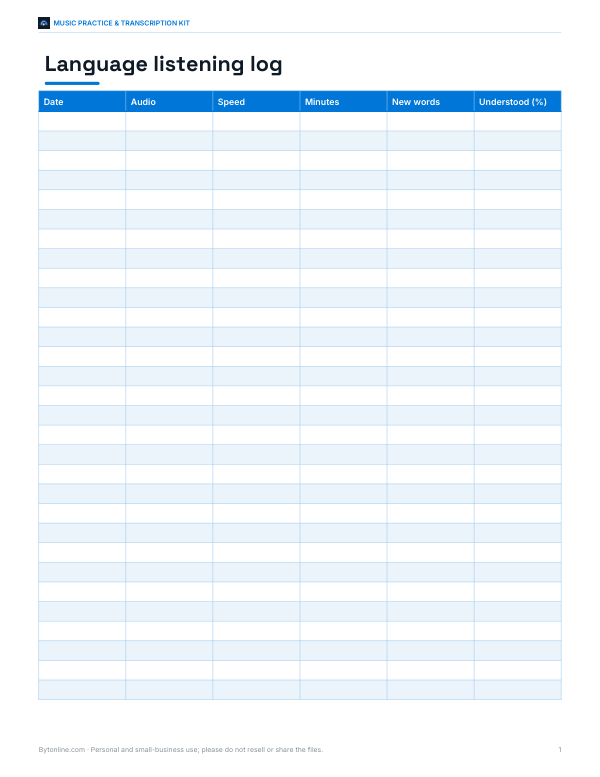
Printable slow-practice tempo ladder, a transcription worksheet with staff and tab, a listening log for language learning and a practice goals planner.
- Tempo ladder (PDF, XLSX)
- Transcription worksheet (PDF)
- Listening log (PDF, DOCX, XLSX)
- Practice goals planner (PDF, DOCX, XLSX)
Formats: PDF, XLSX, DOCX. Instant download after payment (link valid 72 hours, up to 5 downloads). AI-assisted: the templates were drafted with AI help and reviewed and laid out before publishing.
$3.00 USD, one-time 4 files · about $0.75 each
- Instant download
- 7-day refund
- Secure checkout by Stripe
✓ Classroom use included
7-day money-back guarantee. Full refund within 7 days of purchase, even after you download.
Free sample: Language Listening Log (PDF, 54 KB)
Full refund within 7 days — see the refund policy and license.
License: personal and classroom use. Teachers may print and photocopy these files for the students in their own classes, and share them in a password-protected class space (e.g. Google Classroom). Please do not resell, redistribute, or post the files on public websites. One purchase covers one teacher.
Free printables
Single sheets you can print right now, no sign-up. The full pack adds every sheet in one download plus the editable files.
 Printable Practice Goals Planner
How to change the speed of an audio file
- Choose an audio file — MP3, WAV, M4A, OGG and most formats your browser can play.
- Drag the speed slider or tap a preset from 0.5× to 2×.
- Choose whether to keep the original pitch or let it change with the speed.
- Press play to preview; the preview updates instantly as you move the slider.
- Click Export WAV to download the changed audio.
The preview uses your browser’s built-in playback-rate control. The export processes the whole file on your device and saves an uncompressed WAV, which plays everywhere and can be converted to MP3 in any audio app if you need a smaller file.
Keeping the pitch vs changing it
| Mode | What happens | Best for |
|---|---|---|
| Keep original pitch (time-stretch) | Speed changes, voices and instruments stay in tune | Practising music, transcribing, lectures, podcasts, language learning |
| Change pitch with speed (resample) | Faster sounds higher, slower sounds lower, like a record or tape | Effects, nightcore and slowed edits, matching tape recordings |
Time-stretching works by cutting the audio into short overlapping slices and overlapping them more or less closely, choosing each slice to line up smoothly with the previous one (a technique called WSOLA). It works best within about 0.7× to 1.5×; at extreme settings you may hear some echo or warble, which is normal for this kind of processing.
Practising music with slowed audio
Slowing a recording is one of the best ways to learn a fast solo, a tricky rhythm or a song by ear. Start at 60–75% speed with the pitch kept, loop the difficult passage and play along until it feels comfortable, then increase the speed in small steps. Because the pitch stays the same, you can play along on your instrument in the original key. Musicians learning jazz, folk and rock solos have used slowed recordings for generations.
Listening faster: lectures and podcasts
Many people listen to spoken audio at 1.25× to 1.75× to save time. Speech stays intelligible at higher speeds when the pitch is preserved, and most listeners adapt quickly. For dense or technical material, 1.25× often gives the best balance of speed and understanding. For language learning, the opposite works: slow native speech to 0.75× to catch every sound, then return to normal speed.
Worked example
A guitarist wants to learn a 3-minute solo. They load the MP3, set 0.70× with the pitch kept and export the WAV, which is now about 4 minutes 17 seconds long. They practise with the slowed file for a week, then export versions at 0.85× and 1.0× as their playing improves. A podcast listener, meanwhile, sets 1.5× for a 60-minute episode and exports a 40-minute version for their commute.
Speed and file length
| Speed | A 60-minute file becomes |
|---|---|
| 0.5× | 120 minutes |
| 0.75× | 80 minutes |
| 1.25× | 48 minutes |
| 1.5× | 40 minutes |
| 2× | 30 minutes |
Tips for best results
- Use the highest-quality source file you have; processing cannot restore detail lost in heavy compression.
- For music practice, keep the pitch and stay between 0.6× and 1×.
- For speech, 1.25× to 1.75× with pitch kept sounds natural.
- Long files take longer to export and produce large WAV files — about 10 MB per minute of stereo audio.
- On phones, export shorter clips if the browser runs out of memory.
Why speed changes can sound unnatural
When audio is played faster without time-stretching, every frequency rises by the same ratio: at 1.5× the pitch goes up by about seven semitones, which is why voices sound like cartoons. Time-stretching avoids that by keeping the waveform’s local shape and adjusting how often slices repeat, but it cannot know which sounds belong together, so sharp drum hits may smear slightly and sustained notes may shimmer at extreme ratios. Speech and solo instruments usually stretch most cleanly; dense mixes with lots of percussion are the most demanding.
Semitones and speed
| Speed (pitch changes with speed) | Pitch change |
|---|---|
| 0.5× | One octave down (−12 semitones) |
| 0.75× | About −5 semitones |
| 0.89× | About −2 semitones (a whole tone) |
| 1.12× | About +2 semitones |
| 1.5× | About +7 semitones |
| 2× | One octave up (+12 semitones) |
Each semitone is a speed ratio of about 1.0595, so changing speed by that amount moves a recording up or down one key.
Copyright
Changing the speed of a recording does not change who owns it. Use the tool for personal practice, study and listening, or with audio you created or have the rights to. Publishing sped-up or slowed versions of commercial music usually needs permission from the rights holders.
Privacy
Audio is decoded and processed entirely in your browser with the Web Audio API. Files are not uploaded, stored or shared.
Frequently asked questions
Can I slow down a song without changing the pitch?
Yes. Choose “Keep original pitch”, set the speed and export.
What speeds are supported?
From 0.5× (half speed) to 2× (double speed) in 0.05 steps.
Which file formats work?
Most formats your browser can play, including MP3, WAV, M4A/AAC and OGG. Exports are WAV.
Is my audio uploaded?
No, processing happens on your device.
Why does extreme speed sound warbly?
Time-stretching creates small artefacts at extreme ratios; stay between about 0.7× and 1.5× for the cleanest sound.
Can I make nightcore or slowed edits?
Yes, choose “Change pitch with speed”, but only publish music you have rights to.
May I print and share these worksheets with my class?
License: personal and classroom use. Teachers may print and photocopy these files for the students in their own classes, and share them in a password-protected class space (e.g. Google Classroom). Please do not resell, redistribute, or post the files on public websites. One purchase covers one teacher.